Skip to content
Code Standards in the Frontend Engineering Workflow
Hi, I'm Terence. Today let's talk about code standards in frontend engineering.
Introduction
Clean and consistent code is not just about aesthetics. It directly affects collaboration speed, readability, maintainability, and defect rate. This article looks at code standards from three angles: mainstream industry guides, CSS naming approaches, and the tooling that helps teams keep standards in place.
Widely used industry guides
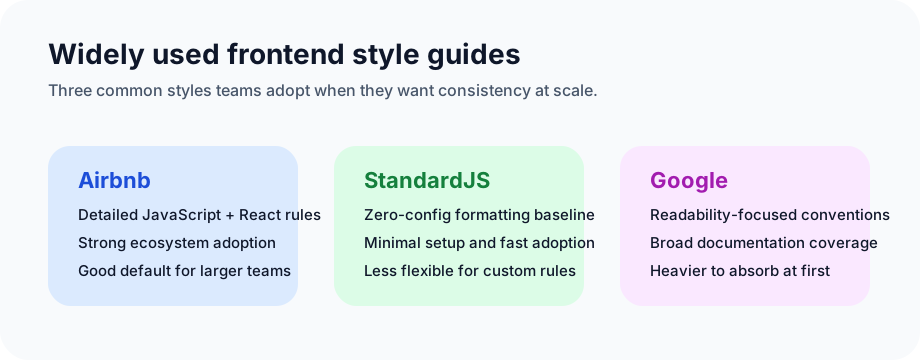
Most frontend developers encounter style guides early in their careers. Some come from the language or framework itself, some from companies, and some from internal teams. The purpose is usually the same: make code more consistent and maintainable.
Airbnb Style Guide
One of the most widely used JavaScript style guides. It covers JavaScript, React, and JSX, and strongly favors modern syntax such as arrow functions, template strings, and destructuring.
Pros
- detailed and comprehensive
- strong examples and explanations
- broad community support
Cons
- large rule set can feel heavy to beginners
- some rules may need adjustment for specific teams
StandardJS
StandardJS is a zero-config JavaScript style guide. It aims to provide a consistent default without requiring developers to spend time debating formatting details.
Pros
- minimal setup
- unified defaults
- built-in auto-fix workflow
Cons
- low flexibility
- not ideal for teams needing custom conventions
Google Style Guide
Google publishes style guidance across many languages, including JavaScript. It emphasizes readability and consistency with strong documentation.
Pros
- authoritative and broad
- clear focus on readability
- strong written documentation
Cons
- takes time to absorb
- may feel heavy for smaller or fast-moving projects
These standards mostly focus on JavaScript, but frontend work also depends heavily on CSS conventions.
CSS naming conventions
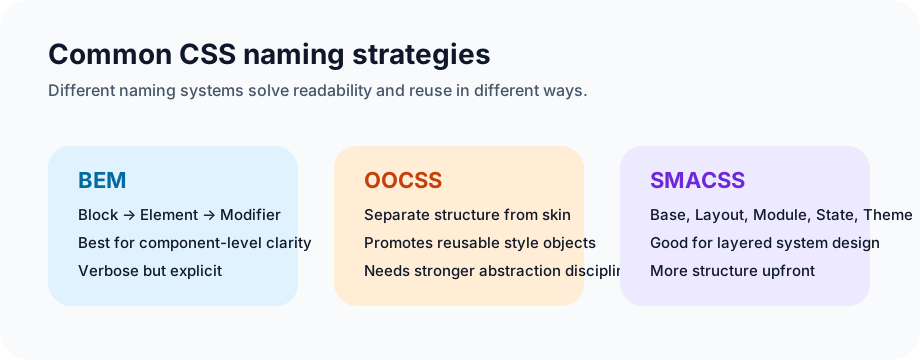
CSS is easy to write and surprisingly hard to maintain at scale. Without a naming system, styles drift, selectors become hard to reason about, and conflicts pile up. Good naming conventions make code easier to read, reuse, and extend.
BEM
BEM stands for Block, Element, Modifier. It encodes component structure directly in the class name, such as block__element--modifier.
Pros
- clear structure
- good alignment with component-based UI
- improved reuse and maintainability
Cons
- verbose naming
- can feel heavy in very small projects
OOCSS
OOCSS, or Object-Oriented CSS, separates structure and skin and encourages extracting repeated styles into reusable objects.
Pros
- promotes reuse
- reduces duplication
- scales well when adopted consistently
Cons
- requires abstraction discipline
- steeper learning curve for some teams
SMACSS
SMACSS organizes styles into categories such as Base, Layout, Module, State, and Theme.
Pros
- clear layering model
- flexible naming
- can coexist with other approaches
Cons
- initial organization effort is higher
- may feel too structured for small projects
Tooling
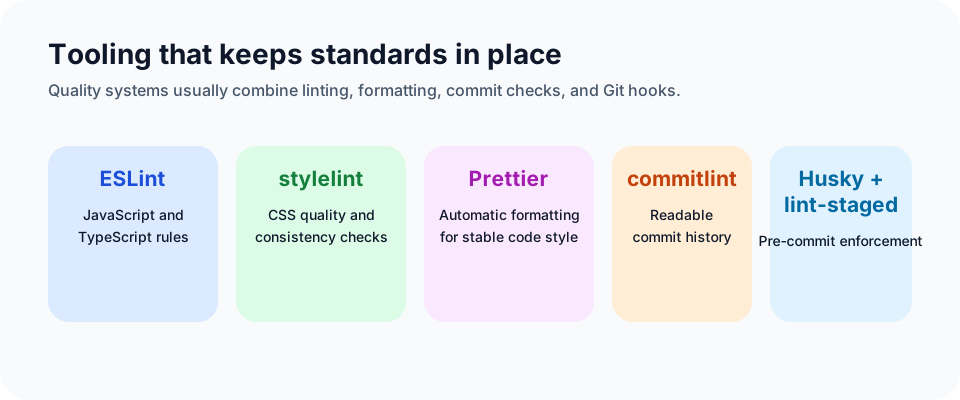
Standards become durable when they are reinforced by tools. Tooling should help teams produce consistent code, not create ceremony for its own sake.
ESLint
ESLint checks JavaScript and TypeScript code against configurable rules and plugin ecosystems.
Pros
- powerful customization
- strong editor integration
- catches both style drift and many real mistakes
Cons
- initial setup can be noisy
- rules need periodic maintenance
stylelint
stylelint enforces style quality and consistency for CSS and related syntaxes.
Pros
- strong CSS analysis
- flexible rule model
- good support for keeping style systems coherent
Cons
- setup is not trivial
- can feel excessive in tiny projects
commitlint
commitlint validates commit messages against a rule set so history stays readable and structured.
Pros
- cleaner commit history
- customizable
- works well in CI/CD
Cons
- only useful if the team follows it consistently
- adds a small process overhead
Prettier
Prettier formats code automatically so teams stop spending energy on spacing, wrapping, and punctuation debates.
Pros
- consistent formatting
- broad language support
- less manual formatting work
Cons
- not every formatting decision matches every team's taste
- initial adoption can create large diffs
Husky and lint-staged
These tools connect quality checks to Git hooks. Husky runs commands during Git events, and lint-staged applies checks only to staged files.
Pros
- catch problems before commit
- reduce accidental bad commits
- integrate well with linting and formatting tools
Cons
- more setup complexity
- can slightly slow frequent commits
What is changing now
Two trends are already reshaping this area:
AI-assisted code review
- automatic detection of potential issues
- context-aware optimization suggestions
- increasingly practical recommendations for refactoring and standards alignment
Smarter automation in CI/CD
- AI-assisted test generation
- better test coverage analysis
- tighter integration between linting, review, build, and deployment pipelines
This is not really a future-only topic anymore. Many teams already run some version of it in their delivery pipeline.
Closing
Code standards are not meant to restrict individual expression for its own sake. Their real job is to reduce unnecessary variation so teams can focus on shipping good technical solutions.
Strong engineers are not defined by writing obscure, irreplaceable code. They are defined by solving real business and product problems with reliable technical judgment.