Skip to content Comparing
Implement
Implement
Implement
Comparing apply, call, and bind
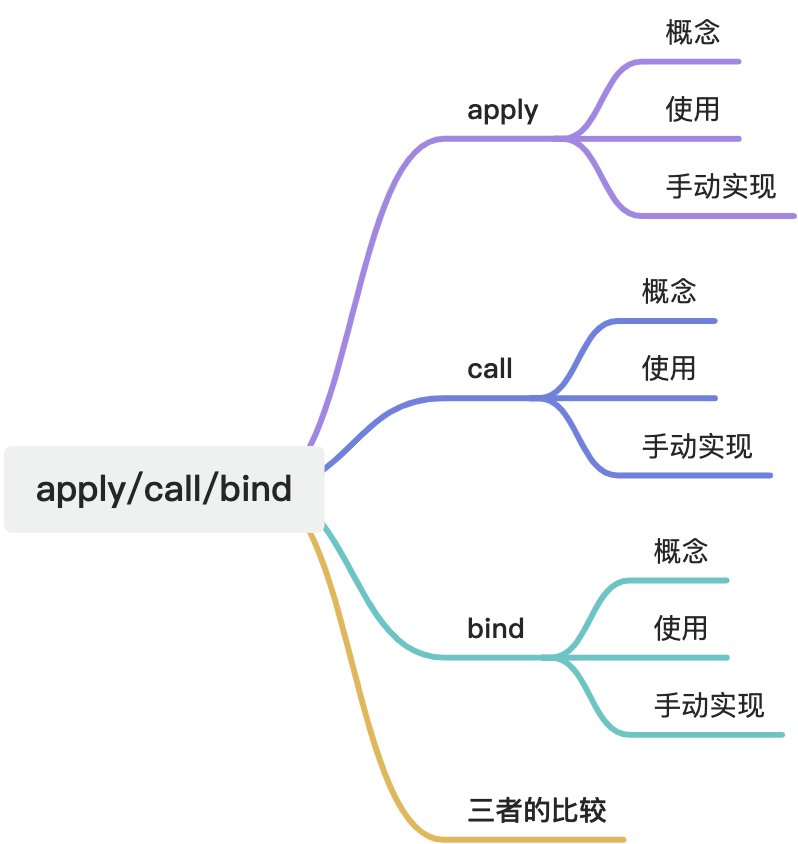
apply
Concept
The apply() method calls a function with a given this value and accepts its arguments as an array or array-like object.
javascript
func.apply(thisArg);
func.apply(thisArg, argsArray);
thisArg
The value used as this when func runs. In non-strict mode, if this value is null or undefined, JavaScript may replace it with the global object. Primitive values may also be boxed.
argsArray (optional)
An array or array-like object whose elements are passed to func as individual arguments.
Return value
The result of calling the function with the specified this value and arguments.
Usage
- Change the
thisvalue inside a function
javascript
const person = {
  name: "John",
  greet() {
    console.log(`Hello, my name is ${this.name}`);
  },
};

const greetFunc = person.greet;
greetFunc(); // Hello, my name is undefined

greetFunc.apply(person); // Hello, my name is John- Pass an array into a function as arguments
javascript
function sum(x, y, z) {
  return x + y + z;
}

const numbers = [1, 2, 3];

sum.apply(null, numbers); // 6- Use it similarly to spread syntax
javascript
const numbers = [1, 2, 3, 4, 5];

Math.max(...numbers); // 5
Math.max.apply(null, numbers); // 5- Bind
thisfor callbacks
javascript
const handler = {
  message: "Hello World",
  printMessage() {
    console.log(this.message);
  },
};

document.body.addEventListener("click", handler.printMessage);
document.body.addEventListener("click", handler.printMessage.bind(handler));
document.body.addEventListener(
  "click",
  handler.printMessage.apply.bind(handler.printMessage, handler)
);
Manual implementation
Key point: apply accepts a function context and an argument array.
javascript
Function.prototype.myApply = function (context, args) {
  if (typeof this !== "function") {
    throw new TypeError("Error");
  }
  const symbolKey = Symbol();
  context = context || window;
  context[symbolKey] = this;
  const result = args ? context[symbolKey](...args) : context[symbolKey]();
  delete context[symbolKey];
  return result;
};
call
Concept
The call() method invokes a function with a specific this value and a normal argument list.
javascript
func.call(thisArg, arg1, arg2, ...);thisArg
The value used as this when the function runs.
arg1, arg2, ...
Arguments passed one by one.
Return value
The result of the function call.
Usage
- Change the
thisvalue inside a function
javascript
const person = {
  name: "John",
  greet() {
    console.log(`Hello, my name is ${this.name}`);
  },
};

const greetFunc = person.greet;
greetFunc(); // Hello, my name is undefined

greetFunc.call(person); // Hello, my name is John- Borrow another object's method
javascript
const person1 = {
  name: "John",
  greet() {
    console.log(`Hello, my name is ${this.name}`);
  },
};

const person2 = {
  name: "Sarah",
};

person1.greet.call(person2); // Hello, my name is Sarah- Invoke a function with explicit arguments
javascript
function greet(lang) {
  if (lang === "en") {
    console.log("Hello World");
  } else if (lang === "fr") {
    console.log("Bonjour le monde");
  }
}

greet.call(null, "fr"); // Bonjour le monde- Use it with rest arguments
javascript
function sum(...numbers) {
  return numbers.reduce((total, n) => total + n, 0);
}

const nums = [1, 2, 3, 4, 5];
sum.call(null, ...nums); // 15
Manual implementation
Key point: call takes a context first, then a normal argument list.
javascript
Function.prototype.myCall = function (context, ...args) {
  if (typeof this !== "function") {
    throw new TypeError("Error");
  }
  const symbolKey = Symbol();
  context = context || window;
  context[symbolKey] = this;
  const result = args ? context[symbolKey](...args) : context[symbolKey]();
  delete context[symbolKey];
  return result;
};
bind
Concept
The bind() method creates a new function. When that new function is called, its this is fixed to the first argument passed to bind(), and any later arguments are prepended as preset parameters.
thisArg
The this value to use when the bound function is called. If the bound function is later used with new, this value is ignored.
arg1, arg2, ...
Arguments to pre-bind into the returned function.
Return value
A copy-like wrapped function with a bound this and optional preset arguments.
Usage
- Preserve function context
javascript
function log() {
  console.log(this.name);
}

const obj = { name: "Jack" };

setTimeout(log.bind(obj), 1000);- Partially apply a function
javascript
function mul(a, b) {
  return a * b;
}

const double = mul.bind(null, 2);

double(3); // 6
double(4); // 8- Create customized higher-order functions
javascript
function greet(prefix, name) {
  console.log(prefix + " " + name);
}

const greetHello = greet.bind(null, "Hello");

greetHello("John"); // Hello John- Use
bindwhen a normal function loses the outerthis
javascript
const person = {
  name: "Jack",
  sayName: () => {
    console.log(this.name); // undefined

    setTimeout(() => {
      console.log(this.name); // undefined
    }, 100);
  },
};

person.sayName();

const fixedPerson = {
  name: "Jack",
  sayName: function () {
    console.log(this.name);

    setTimeout(
      function () {
        console.log(this.name);
      }.bind(this),
      100
    );
  },
};

fixedPerson.sayName();
Manual implementation
Key point: bind does not execute immediately. It returns a new function with a changed context.
javascript
Function.prototype.myBind = function (context, ...bindArgs) {
  if (typeof this !== "function") {
    throw new TypeError("Error");
  }
  context = context || {};
  const fn = this;
  return function (...innerArgs) {
    return fn.apply(context, [...bindArgs, ...innerArgs]);
  };
};
Comparison
All three methods can change the this value inside a function, but they differ in a few important ways.
1. Argument passing
applytakes two parameters: thethisvalue and an array-like argument containercalltakes thethisvalue followed by a normal argument listbindtakes arguments likecall, but returns a new function instead of executing immediately
2. Immediate execution
applyandcallexecute the function immediatelybinddoes not execute immediately
3. Return behavior
applyandcallreturn the result of the function call right awaybindreturns a new function, and that new function returns the result only when later invoked
4. Distinctive strengths
applyis convenient when arguments are already in an arraybindis useful when you want to lock boththisand part of the argument list ahead of time
So the main differences are:
callandapplyexecute immediately, whilebindreturns a bound functioncallandbinduse a normal parameter list, whileapplyuses an array-like argument containerbindis especially suited for partial application
Bonus
Implement call with apply
javascript
Function.prototype.myCall = function (context, ...args) {
  context = context || window;
  args = args ? [...args] : [];
  return this.apply(context, args);
};
Implement apply with call
javascript
Function.prototype.myApply = function (context, args) {
  if (!Array.isArray(args)) {
    throw new TypeError("Second argument must be an array");
  }
  args = [...args];
  return this.call(context, ...args);
};
Implement bind with apply
javascript
Function.prototype.myBind = function (context, ...bindArgs) {
  const fn = this;
  return function (...callArgs) {
    const args = [...bindArgs, ...callArgs];
    return fn.apply(context, args);
  };
};