Skip to content 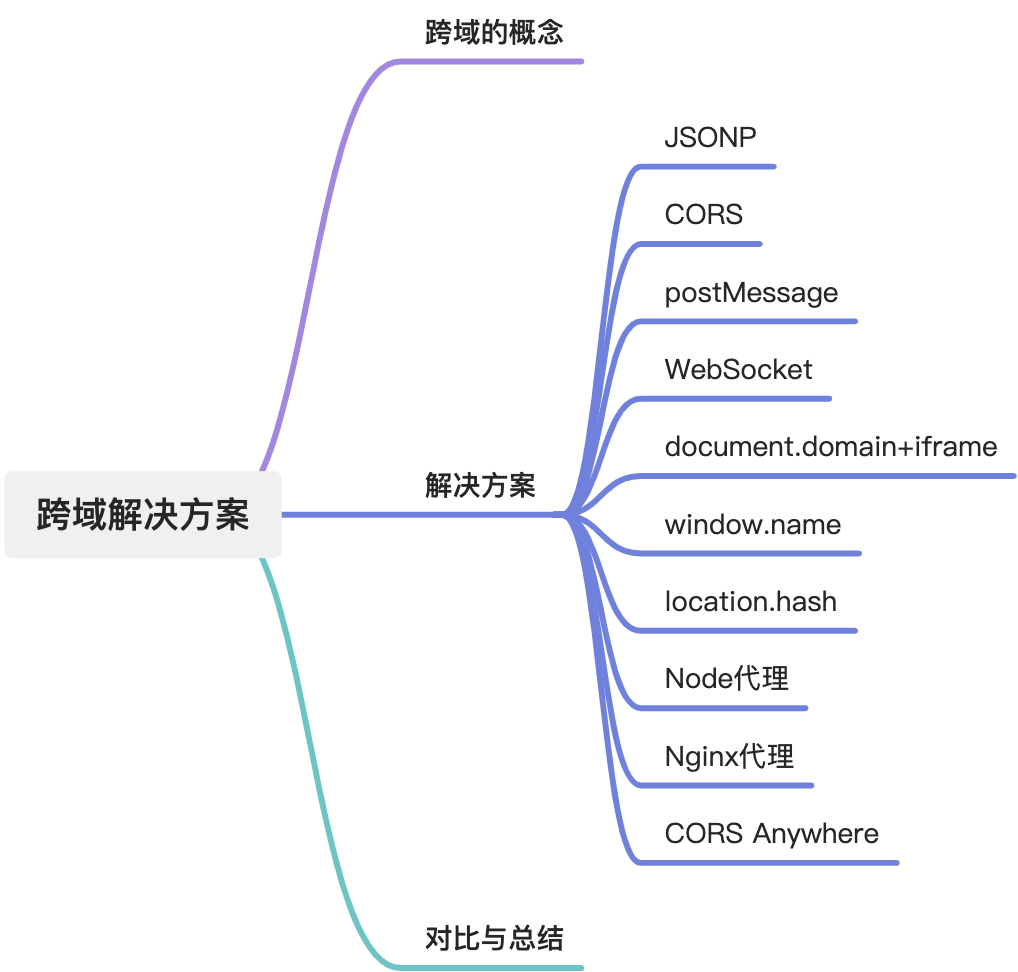
Cross-Origin Solutions
What cross-origin means
Cross-origin access refers to a situation where JavaScript running under one origin tries to access resources from another origin. An origin is defined by three parts:
- protocol
- host
- port
Only when all three are identical do two URLs count as the same origin.
Browsers enforce the Same-Origin Policy for security reasons. It prevents one origin from freely reading or manipulating resources from another origin, which helps reduce risks such as data theft and malicious cross-site attacks.
JSONP
JSONP, or JSON with Padding, is an older cross-origin technique based on the fact that <script> tags are not restricted in the same way as XMLHttpRequest.
How it works
- The client creates a
<script>tag and points it to a target URL. - The server returns a JavaScript snippet that wraps JSON data in a callback function.
- The browser executes that script immediately, which invokes the callback and exposes the data.
Trade-offs
- simple and compatible
- only supports
GET - weaker from a security perspective
CORS
CORS, or Cross-Origin Resource Sharing, is the standard modern solution.
How it works
- The browser automatically sends an
Originheader with a cross-origin request. - The server checks whether that origin is allowed.
- If allowed, the server returns headers such as
Access-Control-Allow-Origin. - The browser then decides whether the response can be exposed to JavaScript.
The server can also define allowed methods, headers, and whether credentials are permitted.
postMessage
postMessage is an HTML5 API for secure communication between windows, tabs, and iframes, including cross-origin ones.
How it works
- The sending window calls
postMessage(data, targetOrigin). - The receiving window listens for the
messageevent. - The receiver reads
event.dataand validatesevent.origin.
This is especially useful for iframe communication and embedded widgets.
WebSocket
WebSocket can also be used in cross-origin scenarios and is well suited for real-time communication.
How it works
- The client sends an HTTP upgrade request with
Upgrade: websocket. - The server replies with status
101if it accepts the protocol upgrade. - The browser and server then communicate over a persistent full-duplex connection.
This is commonly used for chat, collaboration tools, live dashboards, and games.
document.domain + iframe
This is an older technique that only works for subdomains under the same top-level domain.
How it works
- The parent page and child iframe both set
document.domainto the same top-level domain. - Once the effective origin matches, the parent can access the iframe window object directly.
This approach is limited and rarely recommended in modern systems.
window.name
window.name survives full page navigations within the same tab, which makes it usable for a legacy cross-origin data handoff pattern.
How it works
- One page sets
window.name. - The browser navigates to a different origin in the same tab.
- The new page reads the preserved
window.namevalue.
This technique is simple but outdated and limited.
location.hash
The hash portion of the URL can also be used for lightweight cross-page messaging.
How it works
- One page writes data into
location.hash. - Another page in the same browsing context reads the hash.
This is only suitable for very small payloads and narrow use cases.
Node.js proxy
Using a Node.js server as a proxy is a common and practical server-side solution.
How it works
- The browser sends the request to your Node server.
- The Node server forwards that request to the target origin.
- The target server returns the response to Node.
- Node sends that response back to the browser.
Because the browser is now talking to your own server, the request no longer violates the Same-Origin Policy.
Nginx proxy
Nginx can solve the same problem at the reverse-proxy layer.
How it works
- The browser sends a request to Nginx.
- Nginx forwards it according to its proxy rules.
- The target server responds to Nginx.
- Nginx returns the response to the browser.
This is often easier to operate in production than maintaining a custom proxy service.
CORS Anywhere
CORS Anywhere is an open-source reverse proxy that adds CORS headers to forwarded responses.
How it works
- The browser sends a request to the CORS Anywhere service.
- The service forwards the request to the target server.
- The service returns the target response with permissive CORS headers attached.
It is convenient for quick experiments, but you should not treat it as a long-term architecture by default.
Comparison and summary
- JSONP
- Pros: simple, broad compatibility
- Cons: only
GET, weaker security
- CORS
- Pros: standard, secure, supports all HTTP methods
- Cons: requires server support
- postMessage
- Pros: secure and explicit for window or iframe communication
- Cons: both sides must implement the contract
- WebSocket
- Pros: great for real-time communication
- Cons: requires WebSocket-capable infrastructure
- document.domain + iframe
- Pros: simple for same top-level domain cases
- Cons: very limited and outdated
- window.name
- Pros: easy to understand, decent compatibility
- Cons: tiny payloads, legacy pattern
- location.hash
- Pros: simple and lightweight
- Cons: limited payload, awkward to maintain
- Node.js proxy
- Pros: flexible, shifts the problem to the server side
- Cons: requires backend infrastructure
- Nginx proxy
- Pros: operationally clean, strong production fit
- Cons: needs proxy server setup and configuration
- CORS Anywhere
- Pros: fast to try
- Cons: another service to deploy and trust
In most modern applications, prefer CORS when you control the server. Use a reverse proxy when you do not want the browser talking to the target origin directly. Reach for WebSocket when the workload is real-time. The older techniques are mostly interview knowledge or historical context now.