Skip to content
Application Updates
Introduction
The update flow is another important part of Electron application development. This article records a basic update setup and a few practical notes from real implementation work.
electron-builder configuration
Add a publish field:
javascript
publish: {
  provider: "generic",
  url: "http://127.0.0.1:8089/"
}
url is the address where your update files are hosted.
This publish field is required. Without it, files such as latest-mac.yml will not be generated correctly.
Build the update service
Create src/main/update/index.ts:
typescript
import { autoUpdater } from "electron-updater";
import logger from "@/log";
import { mainWindow } from "..";

// Update endpoint
const updateUrl = "http://127.0.0.1:8089";

// Logger
autoUpdater.logger = logger;

// Initialize update logic
export const initUpadate = () => {
  autoUpdater.forceDevUpdateConfig = true;
  autoUpdater.autoDownload = true;
  autoUpdater.setFeedURL(updateUrl);
  autoUpdater.checkForUpdates();
  autoUpdater.checkForUpdatesAndNotify();

  autoUpdater.on("error", function (error: Error) {
    printUpdaterMessage("error");
    console.log(error);
  });

  autoUpdater.on("checking-for-update", function () {
    printUpdaterMessage("checking-for-update");
  });

  autoUpdater.on("update-available", function (info) {
    printUpdaterMessage("update-available");
    logger.info(info);
  });

  autoUpdater.on("update-not-available", function (info) {
    printUpdaterMessage("update-not-available");
    logger.info(info);
  });

  autoUpdater.on("download-progress", function (info) {
    printUpdaterMessage("download-progress");
    logger.info(info);
  });

  autoUpdater.on("update-downloaded", function (info) {
    printUpdaterMessage("update-downloaded");
    setTimeout(() => {
      mainWindow.webContents.send("app-update-downloaded", true);
    }, 3000);
    logger.info(info);
  });
};

// Log update lifecycle messages
function printUpdaterMessage(key: string) {
  const message: Record<string, string> = {
    error: "Update failed",
    "checking-for-update": "Checking for updates",
    "update-available": "New version detected",
    "download-progress": "Downloading",
    "update-not-available": "No update available",
    "update-downloaded": "New version downloaded",
  };
  logger.info("printUpdaterMessage", message[key]);
}

// Install update
export const intsallUpdateApp = () => {
  logger.info("update", "intsallUpdateApp");
  autoUpdater.quitAndInstall();
};
Here, forceDevUpdateConfig allows you to test the update lifecycle in development. In a local development environment, you can verify the full event chain, but not the final real installation behavior, because installation still depends on app signing.
Then initialize the update service inside src/main/index.ts:
typescript
app.whenReady().then(() => {
  createWindow();
  creatMenu();
  initIpc(mainWindow, workWindow);
  app.on("activate", () => {
    if (BrowserWindow.getAllWindows().length === 0) createWindow();
  });
  initUpadate();
});
Add IPC communication
In src/main/ipc/index.ts:
typescript
ipcMain.handle("intsallUpdateApp", () => {
  intsallUpdateApp();
});
In src/preload/index.ts:
typescript
intsallUpdateApp: () => {
  ipcRenderer.invoke("intsallUpdateApp");
}
Renderer notification
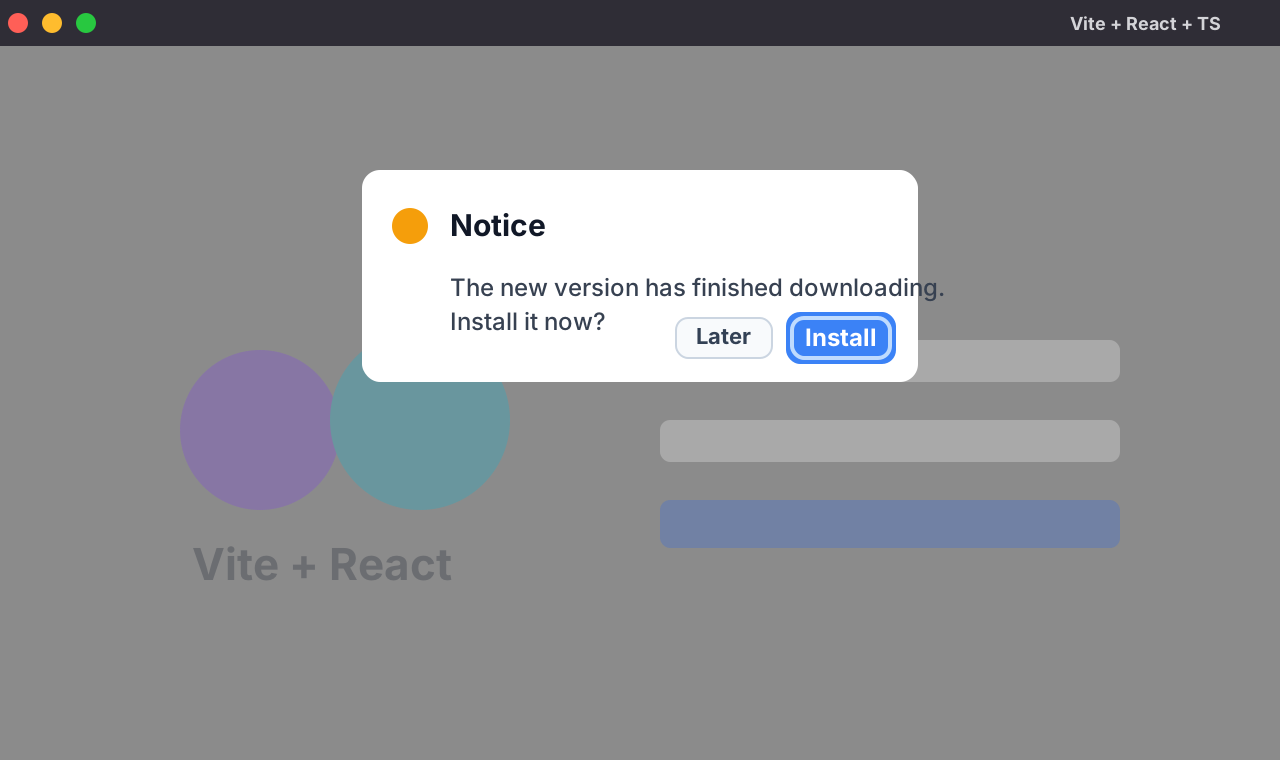
In the renderer process, listen for the download-complete event and show a confirmation dialog:
typescript
useEffect(() => {
  window.nativeBridge.onAppUpdateDownloaded((e: any, value: any) => {
    console.log(e, value);
    if (value) {
      Modal.confirm({
        title: "Notice",
        content: "The new version has been downloaded. Install it now?",
        okText: "Confirm",
        cancelText: "Cancel",
        onOk: () => {
          window.nativeBridge.intsallUpdateApp();
        },
      });
    }
  });
}, []);
A small local testing trick
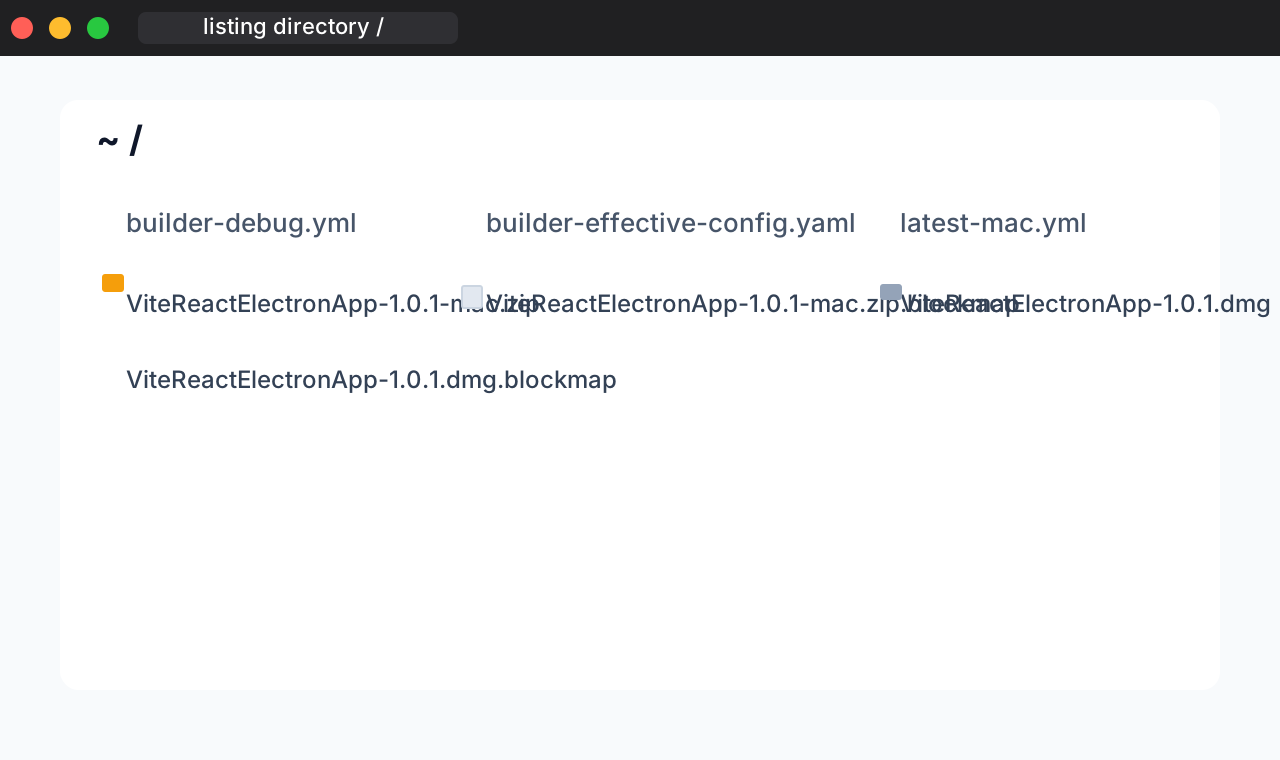
You can use live-server to start a simple local file server and test update delivery.
Install it:
bash
npm i live-serverThen enter the directory that contains your update files and run:
bash
live-server ./ --port=8089That gives you a local file server for testing the update flow.
At that point, the core update logic is basically complete.