Skip to content Use
Cross-Process Communication in Electron
Introduction
Inter-process communication, or IPC, is one of the most important pieces in a feature-rich Electron desktop application.
In day-to-day Electron development, cross-process communication shows up constantly. The most common cases are:
- renderer process to main process
- main process to renderer process
- communication between different renderer processes
Before getting into specific patterns, it is worth understanding Electron's context isolation model:
https://www.electronjs.org/docs/latest/tutorial/context-isolation
The reason this matters is that preload scripts are the foundation for safe communication. Once you understand context isolation and the Electron process model, the IPC design starts to feel much more natural.
Implement the preload script
By default, the renderer process cannot directly access Node.js or Electron modules. The contextBridge API lets you expose a controlled subset of capabilities from preload into the renderer.
Create src/preload/index.ts:
ts
import { contextBridge, ipcRenderer } from "electron";

contextBridge.exposeInMainWorld("nativeBridge", {
  openUrlByDefaultBrowser: (url: string) =>
    ipcRenderer.send("openUrlByDefaultBrowser", url),
});
Then add the preload entry in src/main/index.ts:
ts
preload: join(__dirname, "../preload/index.js");At this point, the project structure should include the preload layer.
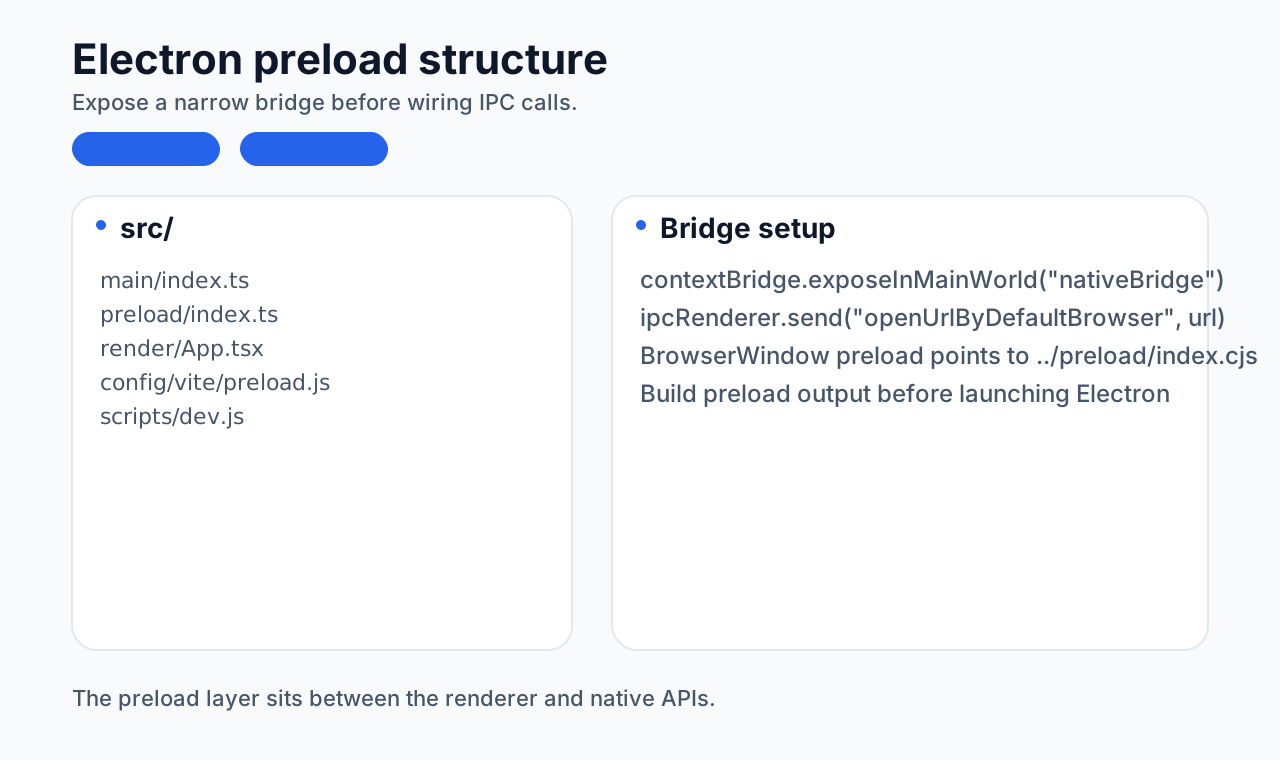
If you start the dev environment now, you will likely see an error like this:
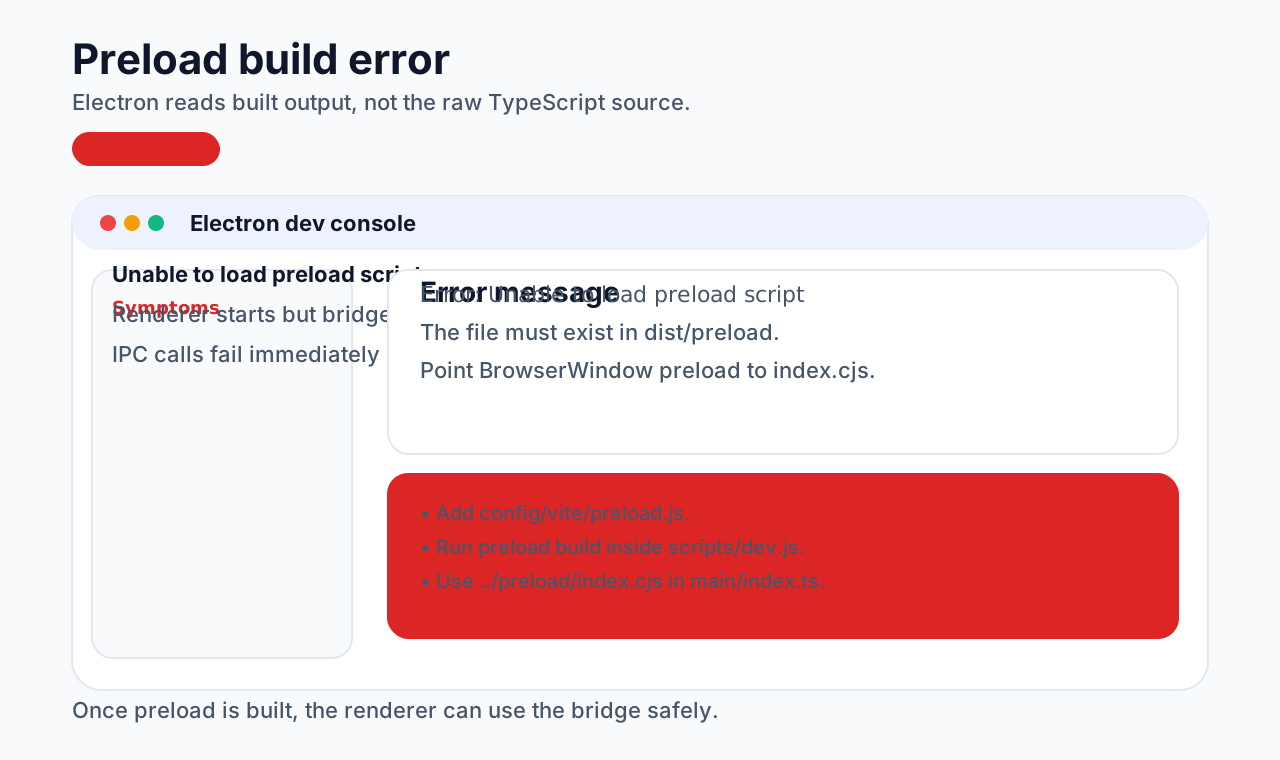
That happens because Electron reads the built output rather than your raw source files. So the preload directory also needs its own Vite build step.
config/vite/preload.js:
js
import { builtinModules } from "module";
import path from "path";

const config = {
  root: process.cwd(),
  resolve: {
    alias: {
      "@": path.resolve(__dirname, "../../src"),
    },
  },
  build: {
    outDir: path.resolve(__dirname, "../../dist/preload"),
    minify: false,
    target: `node16`,
    lib: {
      entry: path.resolve(__dirname, "../../src/preload/index.ts"),
      formats: ["cjs"],
    },
    rollupOptions: {
      external: ["electron", ...builtinModules],
      output: {
        entryFileNames: "[name].cjs",
      },
    },
    emptyOutDir: true,
    brotliSize: false,
    chunkSizeWarningLimit: 2048,
  },
};
export default config;scripts/dev.js:
js
const preloadDev = {
  async createRenderServer(viteDevServer) {
    const options = {
      ...sharedOptions,
      configFile: path.resolve(__dirname, "../config/vite/preload.js"),
    };
    return build({
      ...options,
      plugins: [
        {
          name: "reload-page-on-preload-package-change",
          writeBundle() {
            viteDevServer.ws.send({
              type: "full-reload",
            });
          },
        },
      ],
    });
  },
};

const initDev = async () => {
  try {
    const renderDevServer = await renderDev.createRenderServer();
    await preloadDev.createRenderServer(renderDevServer);
    await mainDev.createMainServer(renderDevServer);
  } catch (err) {
    console.error(err);
  }
};

initDev();
Because the preload build now outputs CommonJS, the preload path in src/main/index.ts also needs to point to the .cjs file:
ts
preload: join(__dirname, "../preload/index.cjs");At that point, the preload layer is ready.
Renderer process to main process
There are several variants here. The most common split is one-way communication and request-response communication.
One-way communication
A simple example is clicking a button in the renderer and opening the default system browser.
In the renderer:
tsx
const openUrlByDefaultBrowser = () => {
  window.nativeBridge.openUrlByDefaultBrowser("https://www.baidu.com");
};

<button onClick={openUrlByDefaultBrowser}>openUrlByDefaultBrowser</button>;
In the main process:
ts
const openUrlByDefaultBrowser = (e: IpcMainEvent, args: any) => {
  shell.openExternal(args);
};

app.whenReady().then(() => {
  createWindow();
  ipcMain.on("openUrlByDefaultBrowser", openUrlByDefaultBrowser);
  app.on("activate", () => {
    if (BrowserWindow.getAllWindows().length === 0) createWindow();
  });
});
The flow is:
- renderer calls a preload bridge method
- preload sends an IPC message
- main process listens and performs the system action
Two-way communication
Add a send method in preload and listen for a reply event:
ts
import { contextBridge, ipcRenderer } from "electron";

contextBridge.exposeInMainWorld("nativeBridge", {
  openUrlByDefaultBrowser: (url: string) =>
    ipcRenderer.send("openUrlByDefaultBrowser", url),
  communicateWithEachOtherSendMsg: (msg: string) =>
    ipcRenderer.send("communicateWithEachOtherSend", msg),
});

ipcRenderer.on("communicateWithEachOtherReply", (_event, arg) => {
  console.log(arg);
});
In the main process:
ts
ipcMain.on("communicateWithEachOtherSend", (event, arg) => {
  event.reply("communicateWithEachOtherReply", `I got ${arg}, ok`);
});
In the renderer:
tsx
const communicateWithEachOtherSendMsg = () => {
  window.nativeBridge.communicateWithEachOtherSendMsg("Hello");
};

<button onClick={communicateWithEachOtherSendMsg}>
  communicateWithEachOtherSendMsg
</button>;
If you want to be more precise, this pattern can be split into three flavors:
Renderer to main, async event style
That is the example above.
Renderer to main, sync
js
// preload
communicateWithEachOtherSendMsgSendSync: (msg: string) =>
  ipcRenderer.sendSync("communicateWithEachOtherSendSync", msg)
ts
// main
ipcMain.on("communicateWithEachOtherSendSync", (event, arg) => {
  event.returnValue = `I got ${arg}, ok`;
});
js
// renderer
const communicateWithEachOtherSendMsgSendSync = () => {
  const msg =
    window.nativeBridge.communicateWithEachOtherSendMsgSendSync("Hello sync");
  console.log(msg);
};
Renderer to main, Promise style
js
// preload
communicateWithEachOtherSendMsgPromise: (msg: string) =>
  ipcRenderer.invoke("communicateWithEachOtherSendPromise", msg)
ts
// main
ipcMain.handle("communicateWithEachOtherSendPromise", async (event, arg) => {
  return `I got ${arg}, ok`;
});
js
// renderer
const communicateWithEachOtherSendMsgPromise = () => {
  window.nativeBridge
    .communicateWithEachOtherSendMsgPromise("Hello Promise")
    .then((msg: any) => {
      console.log(msg);
    });
};
Main process to renderer process
As a small example, clicking a menu item in the main process updates state in the renderer.
Main process:
ts
const menu = Menu.buildFromTemplate([
  {
    label: app.name,
    submenu: [
      {
        click: () => {
          mainWindow.webContents.send("update-counter", 1);
        },
        label: "IncrementNumber",
      },
    ],
  },
]);

Menu.setApplicationMenu(menu);
Add a listener in preload:
js
onUpdateCounterByMain: (callback: any) => {
  ipcRenderer.on("update-counter", (e, value) => {
    callback(e, value);
  });
}
Use it in the renderer:
tsx
useEffect(() => {
  window.nativeBridge.onUpdateCounterByMain((e: Event, value: any) => {
    setCount((pre) => {
      return pre + value;
    });
  });
}, []);
Note: under React 18, if Strict Mode stays enabled, this effect may appear to run twice in development.
Communication between different renderer processes
Electron does not provide a direct ipcRenderer to ipcRenderer path. In practice, there are two common approaches:
- forward messages through the main process
- use
MessagePort
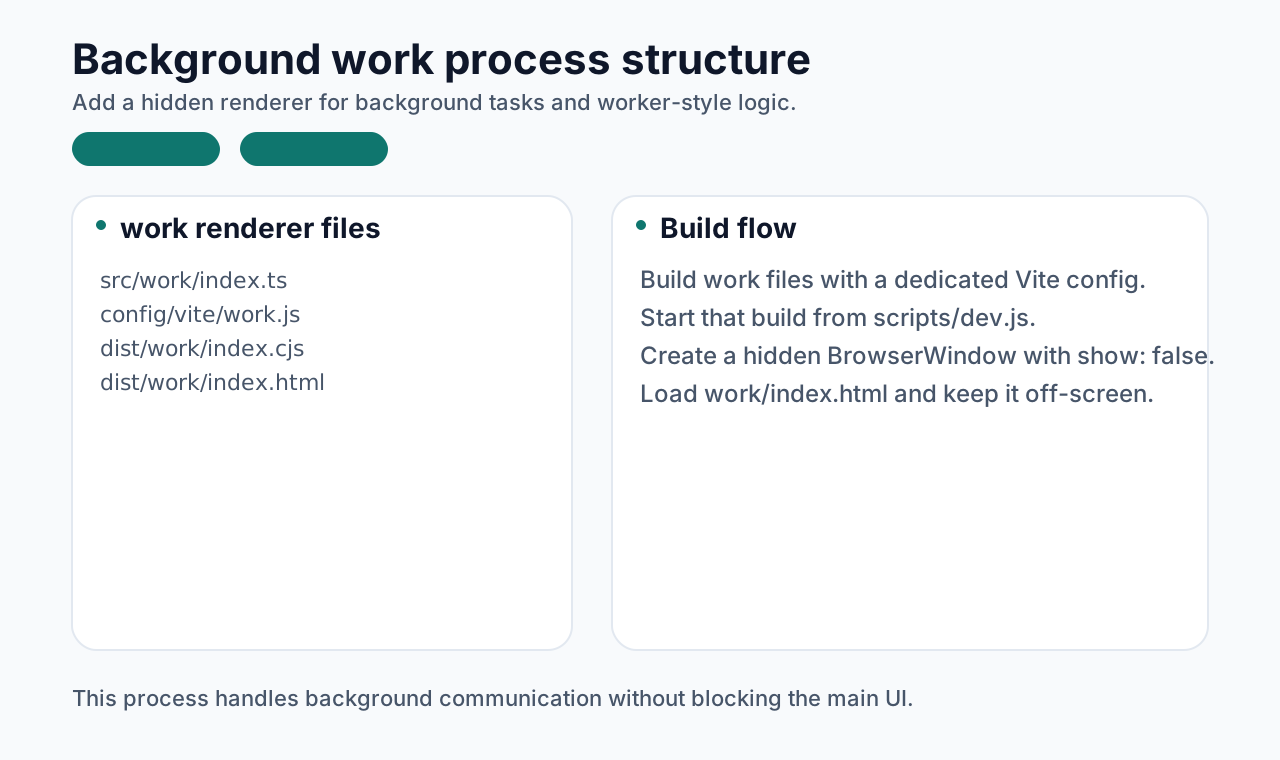
Before demonstrating those, we first need a hidden background renderer. In this article, it is called the work process. Its build setup is very similar to the main renderer process.
Key steps:
- configure
config/vite/work.js - start that build in
scripts/dev.js - create an invisible window from the main process
config/vite/work.js:
js
import { builtinModules } from "module";
import path from "path";

const config = {
  root: path.resolve(__dirname, "../../src/work"),
  envDir: process.cwd(),
  resolve: {
    alias: {
      "@": path.resolve(__dirname, "../../src"),
    },
  },
  build: {
    outDir: path.resolve(__dirname, "../../dist/work"),
    assetsDir: ".",
    minify: false,
    target: `node16`,
    lib: {
      entry: path.resolve(__dirname, "../../src/work/index.ts"),
      formats: ["cjs"],
    },
    rollupOptions: {
      external: ["electron", ...builtinModules],
      output: {
        entryFileNames: "[name].cjs",
      },
    },
    emptyOutDir: true,
    brotliSize: false,
    chunkSizeWarningLimit: 2048,
  },
};
export default config;scripts/dev.js:
js
const workDev = {
  async createRenderServer(viteDevServer) {
    const options = {
      ...sharedOptions,
      configFile: path.resolve(__dirname, "../config/vite/work.js"),
    };
    return build({
      ...options,
      plugins: [
        {
          name: "reload-page-on-work-package-change",
          writeBundle() {
            viteDevServer.ws.send({
              type: "full-reload",
            });
          },
        },
      ],
    });
  },
};

const initDev = async () => {
  try {
    const renderDevServer = await renderDev.createRenderServer();
    await preloadDev.createRenderServer(renderDevServer);
    await workDev.createRenderServer(renderDevServer);
    await mainDev.createMainServer(renderDevServer);
  } catch (err) {
    console.error(err);
  }
};
Work process:
Main process:
ts
const workWindow = new BrowserWindow({
  show: false,
  webPreferences: {
    nodeIntegration: true,
    preload: join(__dirname, "../work/index.cjs"),
  },
});

workWindow.hide();

if (import.meta.env.MODE === "dev") {
  workWindow.webContents.openDevTools();
}

workWindow.loadFile(resolve(__dirname, "../work/index.html"));
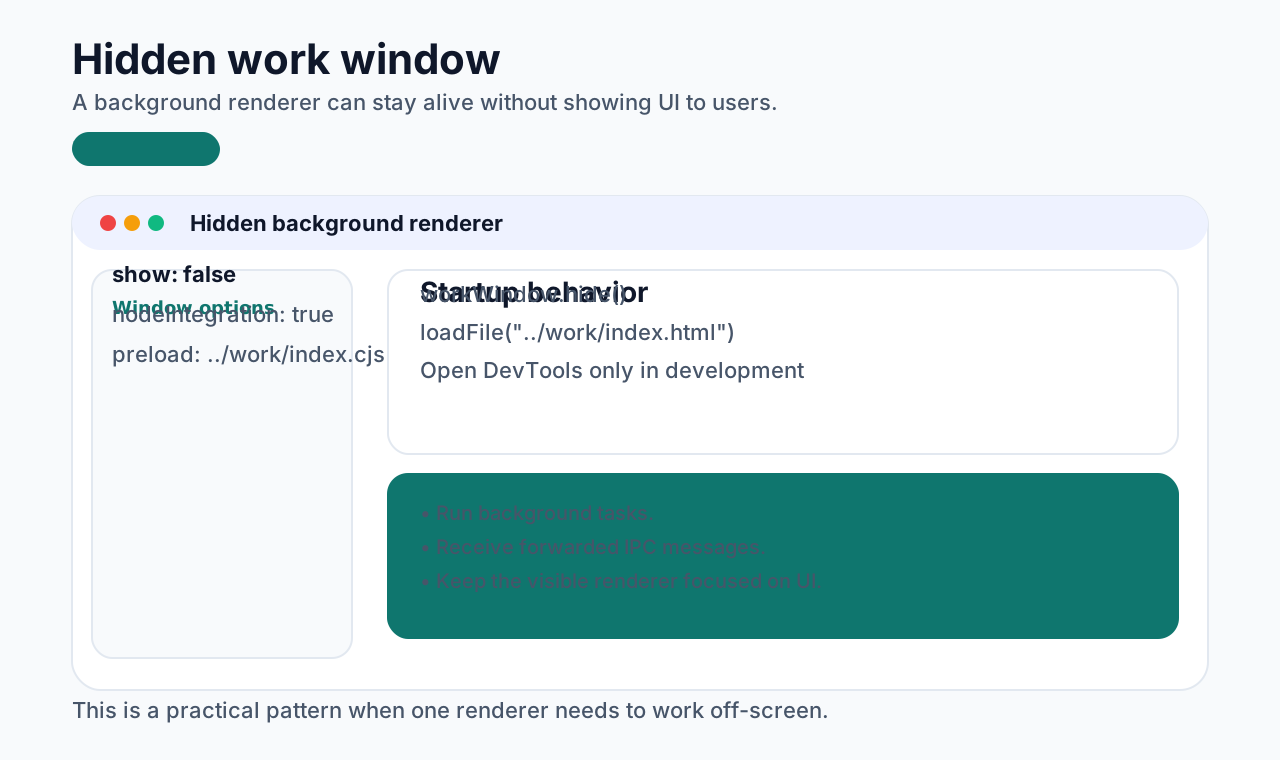
If everything is wired correctly, pnpm run dev should bring up the new process:
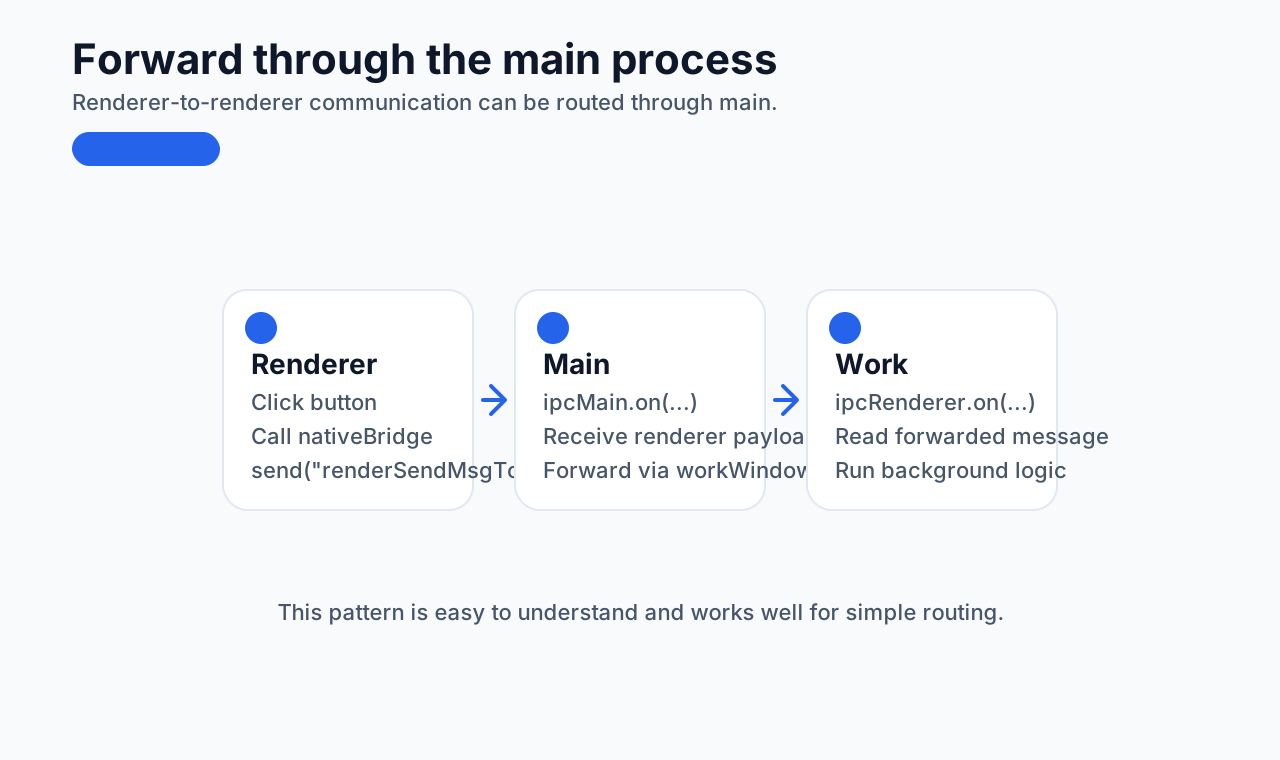
Forward through the main process
Here the goal is for the renderer process to send a message to the work process.
- Define a send method in the renderer bridge
ts
// src/preload/index.ts
renderSendMsgToWork: (msg: any) => {
  ipcRenderer.send("renderSendMsgToWork", msg);
}
tsx
// src/render/App.tsx
const sendMsgToWork = () => {
  window.nativeBridge.renderSendMsgToWork("I am render");
};

<div className="div-shape">
  <button onClick={sendMsgToWork}>sendMsgToWork</button>
</div>;- Let the main process receive it and forward it
ts
// src/main/index.ts
ipcMain.on("renderSendMsgToWork", (event: Event, msg: any) => {
  workWindow && workWindow.webContents.send("msgFormRender", msg);
});- Let the work process receive the forwarded message
ts
// src/work/index.ts
ipcRenderer.on("msgFormRender", (event: Event, msg: any) => {
  console.log("msgFormRender:", msg);
});
After pnpm run dev, click the button in the renderer and inspect the work process console:
If needed, you can also build the reply path in the opposite direction the same way.
Use MessagePort
About MessagePort:
https://developer.mozilla.org/en-US/docs/Web/API/MessagePort
Inside a renderer process, MessagePort behaves the same way it does on the web. But the main process is not a webpage, so Electron adds:
The overall idea is:
- create a
MessageChannelMainin the main process - hand one port to each renderer
- let the renderers talk directly through those ports
Main process:
ts
const { port1, port2 } = new MessageChannelMain();
mainWindow.once("ready-to-show", () => {
  mainWindow.webContents.postMessage("port", null, [port1]);
});

workWindow.once("ready-to-show", () => {
  workWindow.webContents.postMessage("port", null, [port2]);
});
Renderer preload:
ts
renderSendMsgToWorkByMessagePort: (msg: any) => {
  window.electronMessagePort && window.electronMessagePort.postMessage(msg);
}

ipcRenderer.on("port", (e) => {
  window.electronMessagePort = e.ports[0];
});
Work process:
ts
ipcRenderer.on("port", (e) => {
  const electronMessagePort = e.ports[0];
  electronMessagePort.onmessage = (msg: any) => {
    console.log("window.electronMessagePort.onmessage work:", msg.data);
  };
});
Then send a message from the renderer:
tsx
const sendMsgToWorkByMessagePort = () => {
  window.nativeBridge.renderSendMsgToWorkByMessagePort(
    "I am render, sendMsgToWorkByMessagePort"
  );
};

<div className="div-shape">
  <button onClick={sendMsgToWorkByMessagePort}>
    sendMsgToWorkByMessagePort
  </button>
</div>;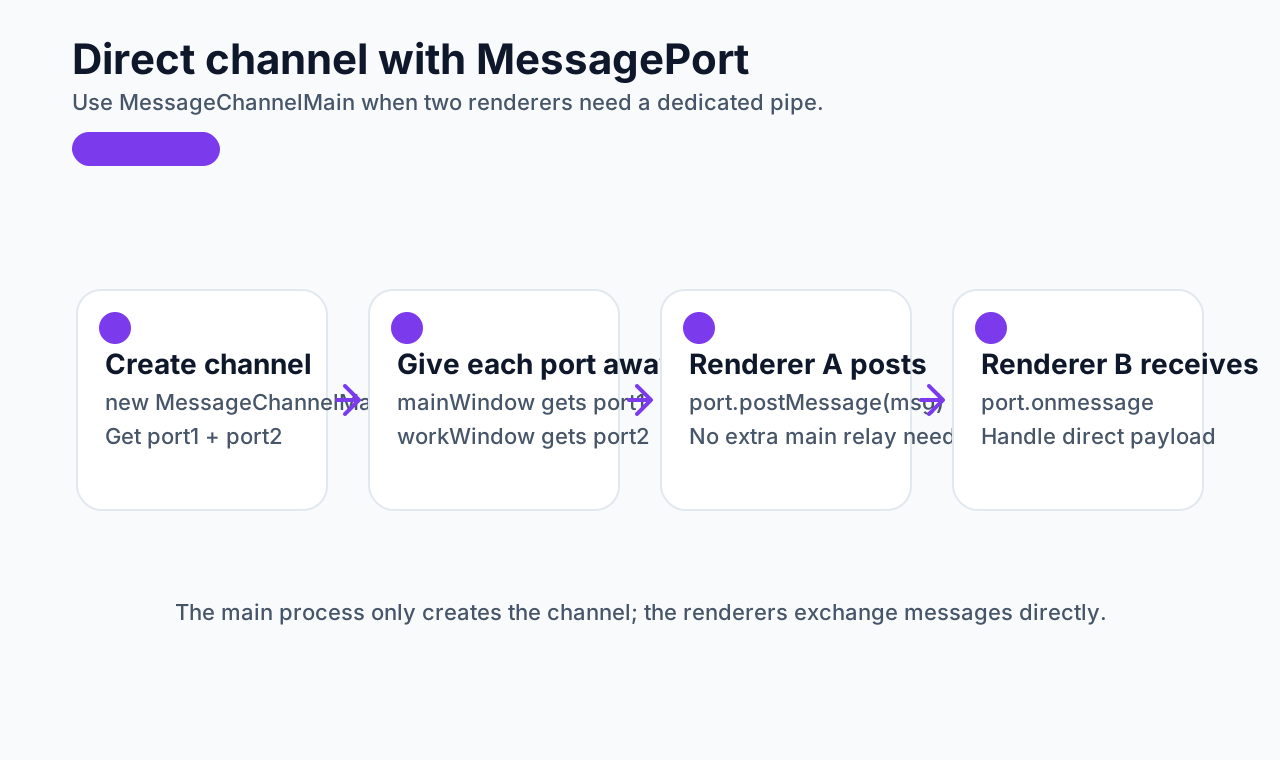
Summary
All of the communication patterns above show up regularly in Electron development. Which one you should use depends on the business scenario, but once you have these patterns clearly encapsulated, daily development becomes much faster and more predictable.