Skip to content
From Architecture to APIs, Do You Really Understand Electron?
Hi, I'm Terence. This article is a broader technical walkthrough of how Electron works.
Introduction
Understanding Electron's underlying model is important for anyone building Electron applications. Once you understand the full picture, you make better architectural decisions and you know where to start when something goes wrong.
This article looks at Electron from several angles:
- architecture
- process collaboration
- low-level support
- source-code structure
- API design
Architecture
Two core components
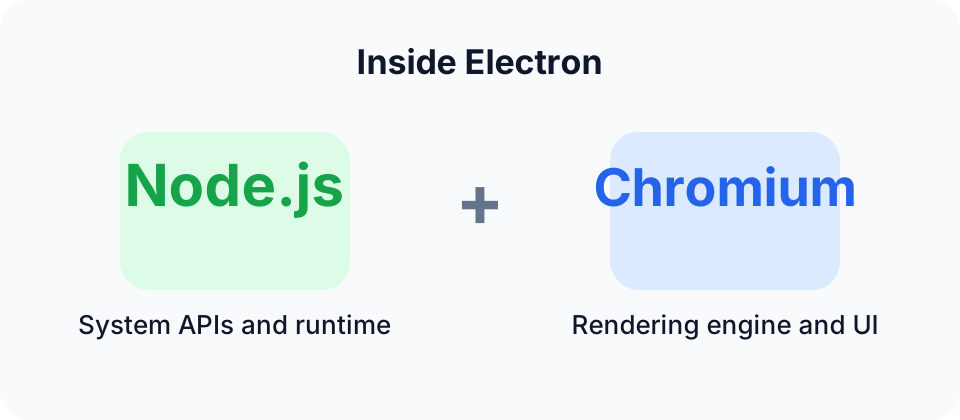
Electron is built on top of two main pieces:
- Chromium
- Node.js
They play different roles.
Chromium
Chromium is the open-source browser project that Google Chrome is built on. Electron uses Chromium as its rendering engine, which means Electron applications can use modern web technologies such as:
- HTML5
- CSS3
- JavaScript
Chromium mainly provides:
- a rendering engine that turns HTML, CSS, and JavaScript into UI
- a multi-process model where each page or window typically has its own renderer process
Node.js
Node.js is a JavaScript runtime built on V8. Electron uses Node.js to provide system-level APIs, making it possible for desktop apps to access capabilities far beyond the browser sandbox.
Node.js mainly provides:
- filesystem access
- network communication
- process management
Two main process types
Electron applications usually contain:
- a main process
- one or more renderer processes
There is also often a preload layer between them.
Main process
The main process is the entry point of the Electron application and is usually responsible for:
- application lifecycle management
- creating and managing windows through
BrowserWindow - interacting with the operating system
- handling IPC with renderer processes through
ipcMain
Renderer process
The renderer process is responsible for the web-based UI of the application. Each BrowserWindow usually corresponds to one independent renderer process.
Its characteristics include:
- isolation: one crashed window does not necessarily bring down the others
- stronger security boundaries
- UI rendering through Chromium
Preload scripts
Preload scripts run in the renderer environment, but they can also access selected Node.js or Electron capabilities.
Their main uses are:
- acting as a secure bridge between renderer and main process
- running initialization logic before the page loads
How Chromium and Node.js work together
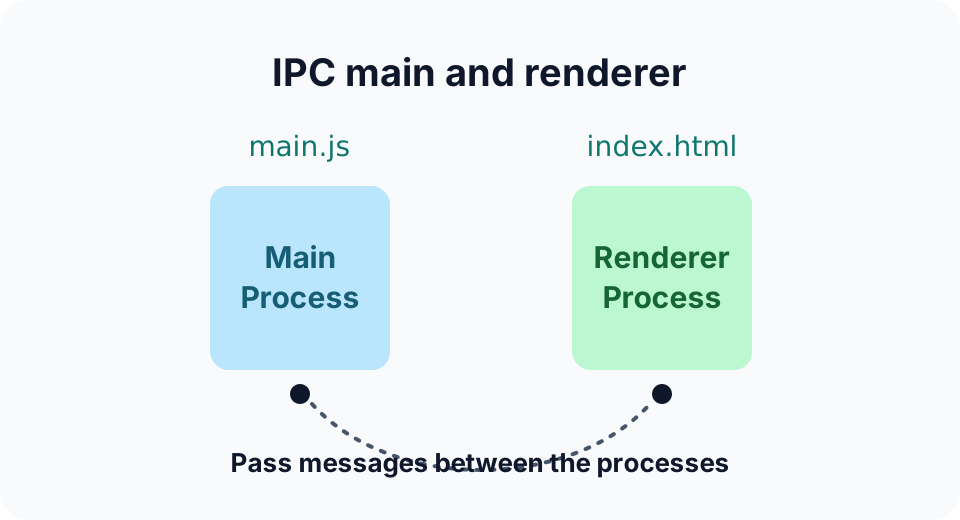
Electron combines process isolation, context bridging, and IPC to let Chromium and Node.js cooperate in a practical and relatively safe way.
Process isolation
Process isolation is one of Electron's core stability and security mechanisms.
The application is split into:
- the main process, where Node.js logic lives
- one or more renderer processes, where Chromium handles UI
That means even if one renderer crashes, the rest of the application can often remain alive.
Context bridge
The contextBridge API allows selected Node.js-powered functionality to be safely exposed into the renderer process without exposing the full Node environment directly.
IPC
Inter-process communication is the collaboration mechanism between the main process and renderer processes.
Electron provides:
ipcMainipcRenderer
Through IPC, the renderer can ask the main process to do things like filesystem access, and the main process can send results or events back.
Low-level support
A desktop framework cannot just look good on the surface. It also needs strong low-level support. Electron's low-level support mainly comes from the following areas.
libchromiumcontent
libchromiumcontent is a packaged version of Chromium's content layer. It provides a browser-grade rendering engine independently of the full Chromium browser shell.
It is responsible for:
- modern web standards support
- the multi-process rendering architecture
- HTML/CSS/JavaScript rendering
Inside Electron, it provides the browser side of the runtime that the renderer depends on.
Node.js
Node.js is the JavaScript runtime that gives Electron access to system-level capabilities.
It brings:
- system APIs
- asynchronous I/O
- a huge module ecosystem
In Electron, Node.js is embedded into the main process and, depending on configuration, partially reachable from the renderer side through preload bridges.
The V8 engine
V8 is the JavaScript engine developed by Google. Both Chromium and Node.js use it, and Electron benefits from that shared engine.
It provides:
- JavaScript execution
- memory management and garbage collection
- performance optimizations such as JIT compilation
Operating-system APIs
Electron applications also rely on operating-system APIs through:
- Node.js native modules such as
fsandnet - Electron's own higher-level modules
- custom native extensions
These are what make it possible for Electron apps to:
- work with the filesystem
- perform network communication
- manage subprocesses
- control GUI-level desktop features
Putting all of these layers together is what gives Electron its unusual power.
Source code structure
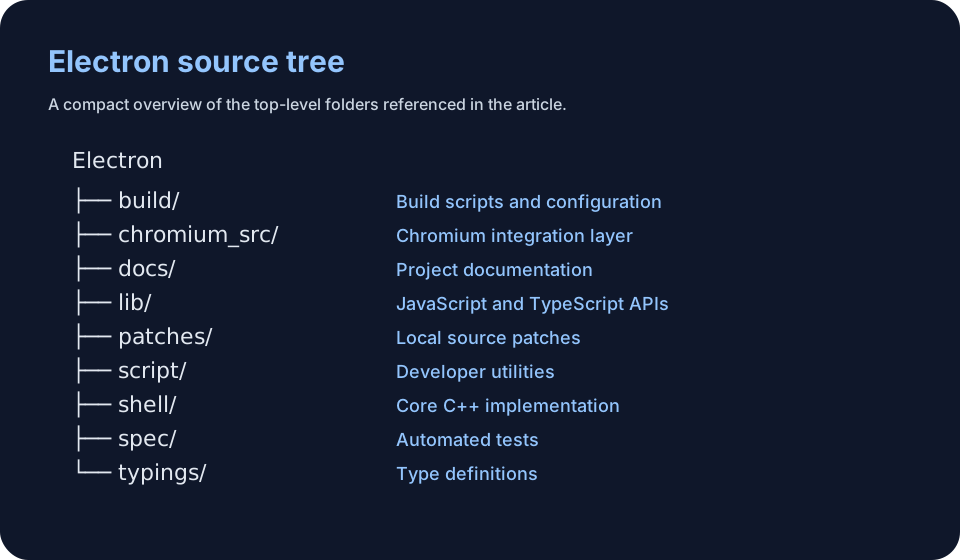
Whether you need to read Electron's source code depends on your depth of interest. In many cases, just understanding the API surface and configuration is enough. But when you hit difficult problems, source code reading can be extremely valuable.
You can browse the Electron source here:
https://github1s.com/electron/electron/tree/main
plain
Electron
├── build/ - build scripts and configuration
├── buildflags/ - optional compile-time features
├── chromium_src/ - Chromium build integration
├── default_app/ - default Electron app when no user app is supplied
├── docs/ - documentation
├── lib/ - JavaScript/TypeScript source
│   ├── browser/ - main-process-related logic
│   ├── common/ - shared logic
│   ├── isolated_renderer/ - isolated renderer logic
│   ├── node/ - Node.js integration
│   ├── renderer/ - renderer logic
│   ├── sandboxed_renderer/ - sandboxed renderer logic
│   ├── utility/ - utility helpers
│   └── worker/ - worker-related logic
├── npm/ - npm-related scripts and config
├── patches/ - patch files
├── script/ - development and build scripts
├── shell/ - core C++ implementation
│   ├── app/ - application core
│   ├── browser/ - browser-process code
│   ├── common/ - shared code
│   ├── renderer/ - renderer-process code
│   ├── services/ - service-related code
│   └── utility/ - utility code
├── spec/ - Electron test specs
├── spec-chromium/ - Chromium-related tests
├── typings/ - TypeScript type definitions
The structure is carefully designed. It separates:
- higher-level JavaScript APIs
- lower-level C++ implementation
while also sharing common code where appropriate.
A quick look at the application entry path
Electron's source tree is large, but even looking at the application entry gives a decent sense of how startup works.
One key entry file is:
\shell\app\electron_main_delegate.cc
This file defines the ElectronMainDelegate class, which plays a central role during Electron startup.
Its responsibilities include:
- Basic startup flow
BasicStartupComplete()handles early setup such as command-line switches and path providers.
- Pre-sandbox initialization
PreSandboxStartup()prepares things like the user-data directory and logging.
- Content client creation
- methods such as
CreateContentBrowserClient()andCreateContentRendererClient()create process-specific clients.
- methods such as
- Resource loading
LoadResourceBundle()loads localized resource bundles.
- Process-type dispatch
RunProcess()routes startup logic depending on the type of process being launched.
- Feature list and Mojo initialization
ShouldCreateFeatureList()andShouldInitializeMojo()control those systems.
- Crash reporting
- includes crash-report initialization logic in supported builds.
- Platform-specific branches
- contains Windows-, macOS-, and Linux-specific startup handling.
This file effectively coordinates Electron startup and acts as a bridge between Chromium's content layer and Electron-specific runtime behavior.
API design
The design of a framework's API strongly affects how approachable and productive it feels. Electron's API design is one of the reasons it is relatively pleasant to use.
A few design ideas stand out.
Modularity
Electron's modular design lets developers use only the pieces they need.
Implementation details:
- each module usually maps to a specific C++ class
- JavaScript APIs are bound to those classes through V8
- modules try to stay loosely coupled
Benefits:
- easier to understand
- easier to use incrementally
- easier to extend
Event-driven model
Electron makes heavy use of events, following the style of Node.js EventEmitter.
Implementation details:
- many lifecycle and IPC APIs are event-based
- C++ events are surfaced as JavaScript events through V8 bindings
Benefits:
- non-blocking interaction
- lower coupling between sender and receiver
- flexible listener patterns
Async-first design
Electron leans heavily toward asynchronous APIs.
Implementation details:
- Promises and
async/awaitare common in higher-level code - lower-level async support relies on mechanisms such as
libuv
Benefits:
- better application responsiveness
- cleaner async error handling
- closer alignment with modern JavaScript practice
Cross-platform abstraction
Electron exposes a relatively consistent API across operating systems.
Implementation details:
- platform-specific logic is implemented below the JavaScript API layer
- the upper-layer API tries to remain consistent even when the actual platform behavior differs
Benefits:
- one API surface for multiple platforms
- high code reuse
- simpler upper-layer maintenance
Through these principles, Electron successfully combines web technologies with native desktop capabilities and creates a powerful, flexible platform for desktop application development.
Closing
This article was only a broad technical walkthrough, but even from this level it should be clear that Electron is not just "a browser shell that can run desktop apps."
It has:
- a carefully layered architecture
- a clear process model
- strong system-level support
- a thoughtful API design
Understanding those foundations is very helpful in real Electron work, especially when you start dealing with more complex engineering and product scenarios.