Skip to content
CI/CD for Building and Releasing Tauri Desktop Apps
Hi, I'm Terence. This article looks at how to use CI/CD to build and release a Tauri application automatically.
Introduction
Tauri is a great fit for personal desktop applications because it is small and efficient. But smooth release workflows still require some automation. It is not realistic to depend on a local machine for every release, especially when building for multiple operating systems.
That is where CI/CD becomes useful. With a well-defined build pipeline, desktop release flow can become much closer to the convenience of web delivery.
CI/CD overview
At a high level, CI/CD means that after a developer pushes code, the version control system triggers an automated workflow that checks out code, builds the app, and eventually produces release artifacts.
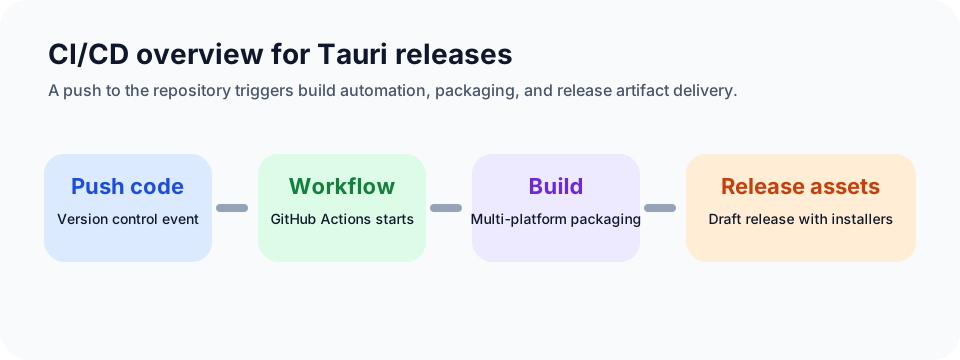
In more mature engineering systems, there may also be:
- code analysis
- unit tests
- integration tests
- performance tests
- release gates
- notifications
This article keeps the flow focused on the essential build-and-release path.
Choosing a CI/CD tool
Several common tools can handle this work:
GitHub Actions
Website: https://docs.github.com/en/actions
Pros
- tight GitHub integration
- YAML-based configuration
- generous free plan for open source
- supports multiple operating systems
Cons
- limited free allowance for private repositories
- tied to GitHub
GitLab CI
Website: https://docs.gitlab.com/ee/ci
Pros
- deep GitLab integration
- full DevOps lifecycle support
- self-hosted or cloud options
- flexible YAML configuration
Cons
- slightly steeper learning curve for some teams
- self-hosting means managing runners yourself
Jenkins
Website: https://www.jenkins.io
Pros
- highly customizable
- huge plugin ecosystem
- supports complex release pipelines
- fully self-hosted
Cons
- more setup and maintenance
- requires your own infrastructure
- older UI and heavier operations cost
For personal tools or open-source projects, GitHub Actions is usually the simplest choice. It is easy to configure, free enough for many cases, and offers broad OS coverage.
Configuring CI/CD for a Tauri app
Before writing the workflow file, it helps to think through the actual build actions, which are similar to local development but more explicit:
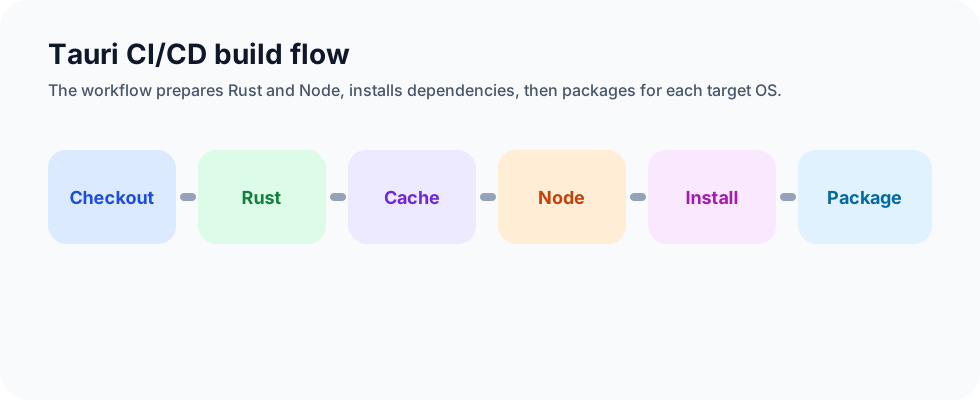
The implementation below uses GitHub Actions:
yaml
name: Build and release
on:
  push:
    branches: [feature-testci]
  workflow_dispatch:

jobs:
  release:
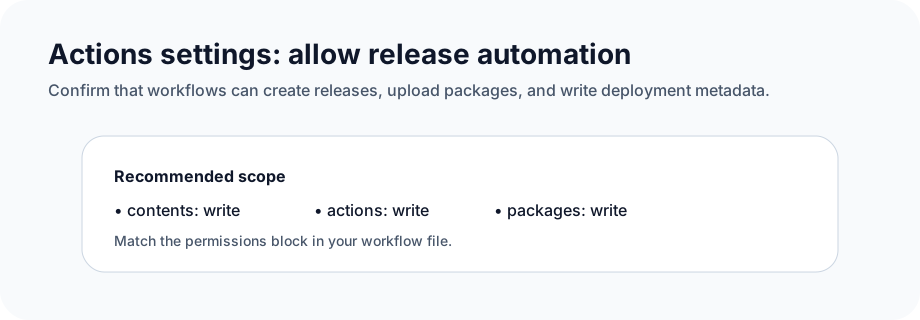
    permissions:
      contents: write
      actions: write
      attestations: write
      deployments: write
      packages: write
      id-token: write
    strategy:
      fail-fast: false
      matrix:
        platform: [macos-latest, windows-latest]
    runs-on: ${{ matrix.platform }}

    steps:
      - name: Checkout repository
        uses: actions/checkout@v4

      - name: Rust setup
        uses: dtolnay/rust-toolchain@stable

      - name: Rust cache
        uses: swatinem/rust-cache@v2
        with:
          workspaces: "./src-tauri -> target"

      - name: Sync node version and setup cache
        uses: actions/setup-node@v4
        with:
          node-version: "lts/*"

      - name: Install pnpm
        run: npm install -g pnpm

      - name: Install frontend dependencies
        run: pnpm install

      - name: Build the app
        uses: tauri-apps/tauri-action@v0
        env:
          GITHUB_TOKEN: ${{ secrets.GITHUB_TOKEN }}
        with:
          tagName: ${{ github.ref_name }}
          releaseName: "XTools v__VERSION__"
          releaseBody: "See the assets to download and install this version."
          releaseDraft: true
          prerelease: false
What this workflow does
Name and triggers
yaml
name: Build and release
on:
  push:
    branches: [feature-testci]
  workflow_dispatch:
The workflow runs when:
- code is pushed to
feature-testci - it is manually triggered
Job definition
yaml
jobs:
  release:
    permissions:
      ...
    strategy:
      fail-fast: false
      matrix:
        platform: [macos-latest, windows-latest]
    runs-on: ${{ matrix.platform }}
This defines a release job with enough permissions to create releases and upload assets, and it runs on both macOS and Windows through a matrix.
Steps
- check out the repository
- set up Rust
- cache Rust dependencies
- set up Node.js
- install pnpm
- install frontend dependencies
- build the Tauri app
The final step also creates a GitHub release and uploads the build outputs as release assets.
Release configuration
yaml
env:
  GITHUB_TOKEN: ${{ secrets.GITHUB_TOKEN }}
with:
  tagName: ${{ github.ref_name }}
  releaseName: "XTools v__VERSION__"
  releaseBody: "See the assets to download and install this version."
  releaseDraft: true
  prerelease: false
This controls tag naming, release text, and the fact that the release is created as a draft rather than a prerelease.
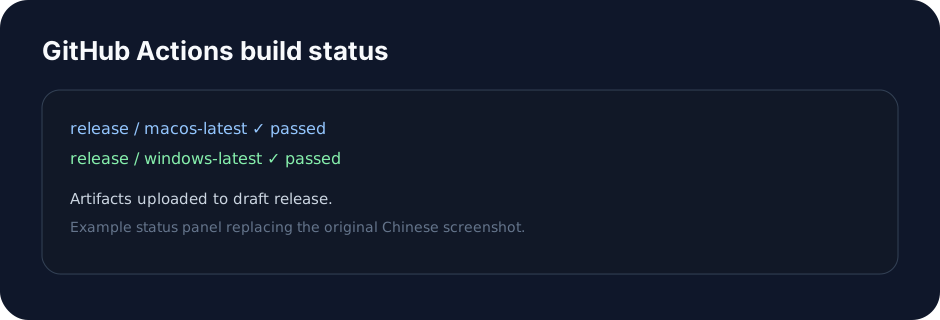
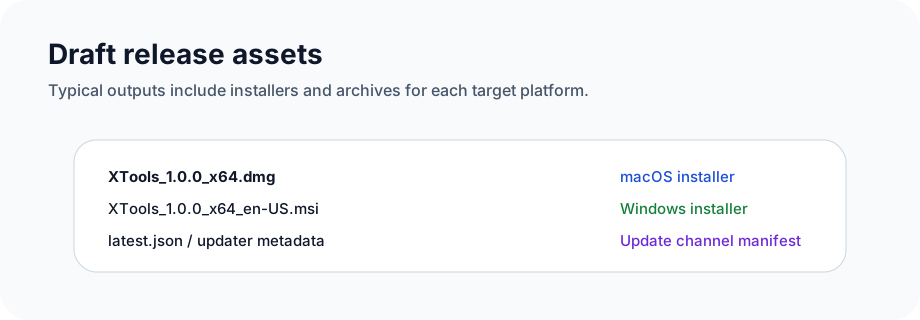
If everything works, pushing feature-testci should produce:
- a successful multi-platform Actions build
- downloadable installers for both platforms
Common problems
Permission issues
One of the most common problems is insufficient token permission. GitHub's workflow token is often read-only by default, which can cause:
Resource not accessible by integration
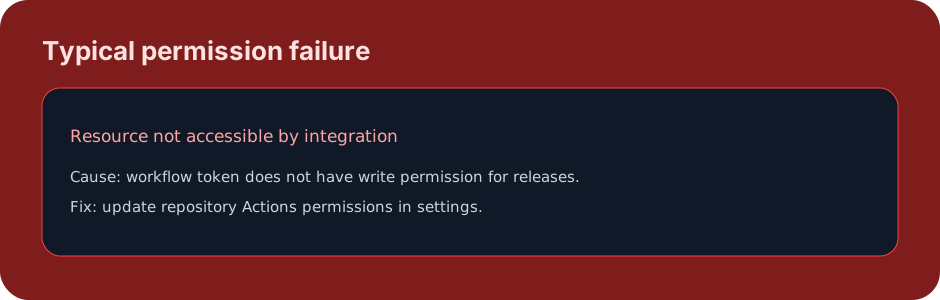
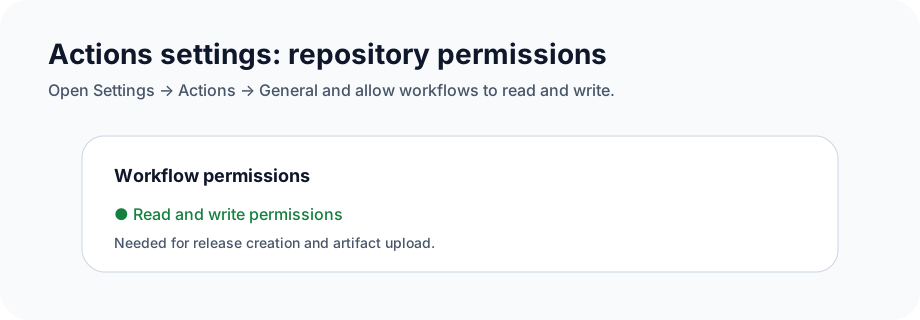
The fix is to update the repository Actions settings under Actions -> General.
Security warnings on generated applications
Unsigned applications produced by CI/CD are often blocked on first launch.
- On Windows, users usually need to choose to continue running
- On macOS, users may need to allow the app from Privacy & Security settings
This is expected when no signing certificate is involved.
Source code
https://github.com/Xutaotaotao/XTools/tree/feature-testci
Closing
CI/CD is just as important for desktop applications as it is for frontend web projects. Once it is in place, release speed improves significantly and cross-platform consistency becomes easier to maintain.
For personal projects and open-source Tauri apps, GitHub Actions is a very practical way to automate the whole release path.