Skip to content 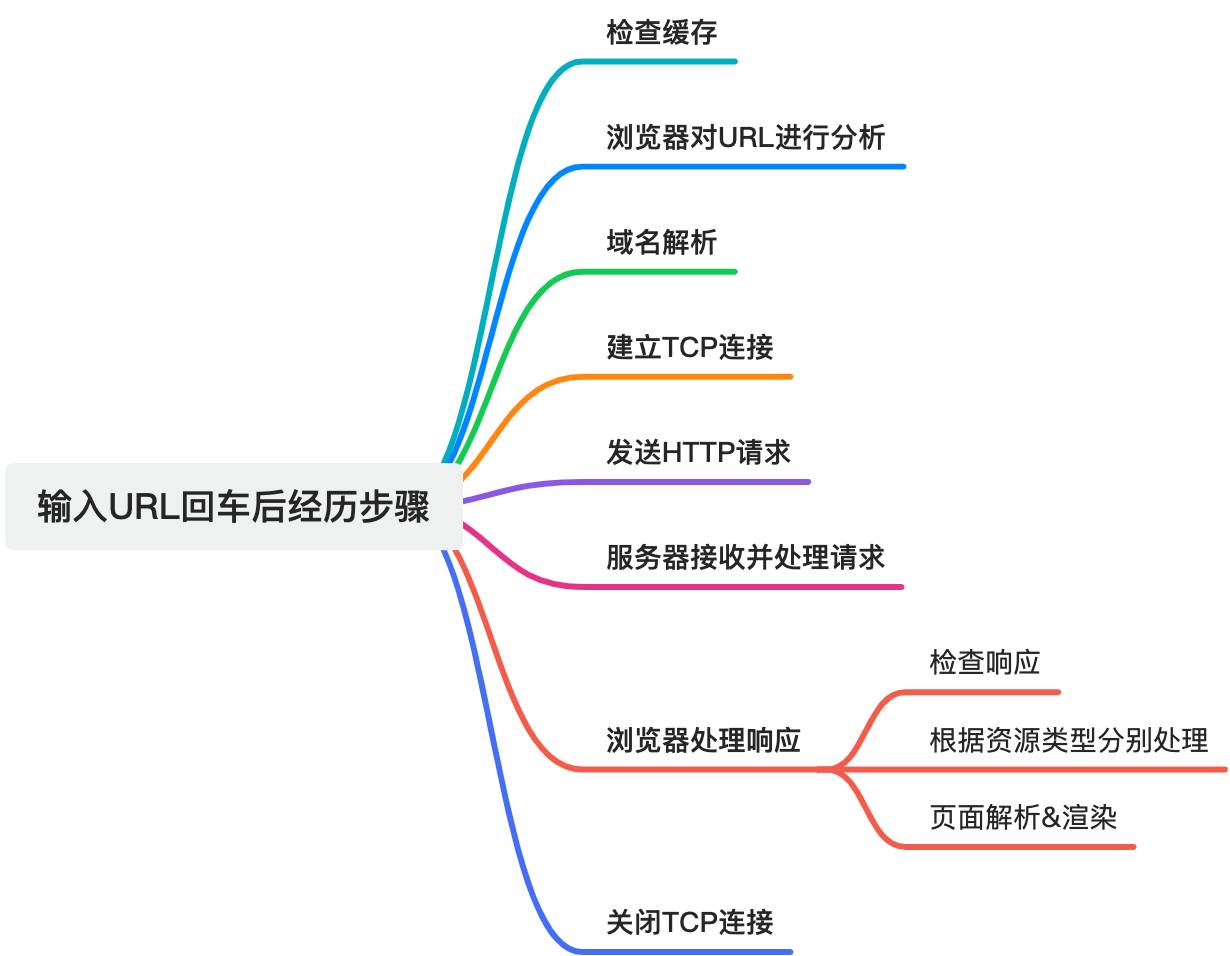
What Happens After You Press Enter on a URL
1. Check the cache
When you enter a URL, the browser first checks whether the requested resource already exists in local cache and is still valid.
Typical steps:
- Hash or normalize the URL into a cache lookup key.
- Search memory cache or disk cache.
- If a valid cached resource is found, use it directly.
- Otherwise continue with a network request.
- Cache the newly fetched resource for later reuse.
This step exists to speed up repeat visits and reduce unnecessary network work.
2. Parse the URL
If the resource is not served from cache, the browser parses the URL and extracts the key pieces of information needed for the request:
- protocol
- domain
- port
- path
- query parameters
- fragment
This gives the browser the target host, resource path, and transport method needed for the next stages.
3. Resolve the domain name
The browser then needs an IP address for the hostname.
Typical DNS flow:
- Check browser DNS cache.
- Ask the operating system resolver.
- If still unresolved, query recursive DNS infrastructure.
- Walk from root DNS servers to top-level domain servers.
- Reach the authoritative DNS server.
- Receive the IP address.
- Cache the result and return it to the browser.
This is how a human-friendly domain name becomes a machine-usable address.
4. Establish a TCP connection
Once the IP address is known, the browser establishes a TCP connection with the server using the well-known three-way handshake:
- client sends
SYN - server replies with
SYN + ACK - client replies with
ACK
The purpose is to confirm that both sides are ready and to synchronize sequence numbers before data starts flowing.
If the request is HTTPS, there is also an additional TLS handshake after TCP is established.
5. Send the HTTP request
After the connection is ready, the browser constructs an HTTP request:
- request line such as
GET /index.html HTTP/1.1 - request headers such as
Host,User-Agent, andAccept - optional request body for methods such as
POST
The request is then sent across the established connection.
6. Server receives and processes the request
On the server side:
- the web server receives the request
- it parses the method, path, and headers
- it routes the request to static files or backend logic
- the application reads data from files, databases, or computation
- the server generates a response
- it sets status code, response headers, and response body
- the response is sent back to the browser
This may also include redirects, cookies, permission checks, and caching behavior.
7. Browser processes the response
Check the status code
The browser first checks the HTTP status code:
2xxfor success3xxfor redirects4xxfor client errors5xxfor server errors
Read response headers
It then reads metadata such as:
- content type
- content length
- encoding
- caching headers
Handle the response body
Depending on the Content-Type, the browser chooses a different path:
text/html: parse HTMLtext/css: parse CSSapplication/javascript: execute JavaScript- image MIME types: decode and display image content
application/json: parse JSONapplication/octet-stream: download binary data
8. Parse and render the page
If the response is HTML, the rendering pipeline begins.
Parse HTML into the DOM tree
The browser tokenizes the HTML and builds DOM nodes in tree form.
Parse CSS into the CSSOM tree
The browser parses stylesheets and builds a CSS object model.
Build the render tree
The browser combines the DOM and CSSOM into a render tree that contains only visible renderable nodes plus their computed styles.
Layout
The browser calculates positions and sizes for all render objects.
Paint
The browser draws text, colors, images, borders, and other visual primitives.
Compositing
Different layers are combined in the correct stacking order and sent to the screen.
9. Update when data changes
If JavaScript later changes the DOM or CSS:
- the browser updates the relevant structures
- layout may run again if geometry changed
- paint may run again if visuals changed
- only affected parts are redrawn when possible
This is how the page stays interactive after the first render.
10. Close or reuse the connection
When the response is complete, the connection may be reused or closed depending on protocol and keep-alive behavior.
If the connection is closed, TCP uses the four-way termination flow:
- one side sends
FIN - the other acknowledges
- the second side sends its own
FIN - the first side acknowledges
Summary
From the user's point of view, entering a URL feels instant. Under the hood, it usually involves cache lookup, URL parsing, DNS resolution, connection setup, request dispatch, server-side processing, response parsing, rendering, and later incremental updates.
That full chain is why frontend performance is never just about one line of code.